Nonprofit Finance and Operations

Board Financial Packet

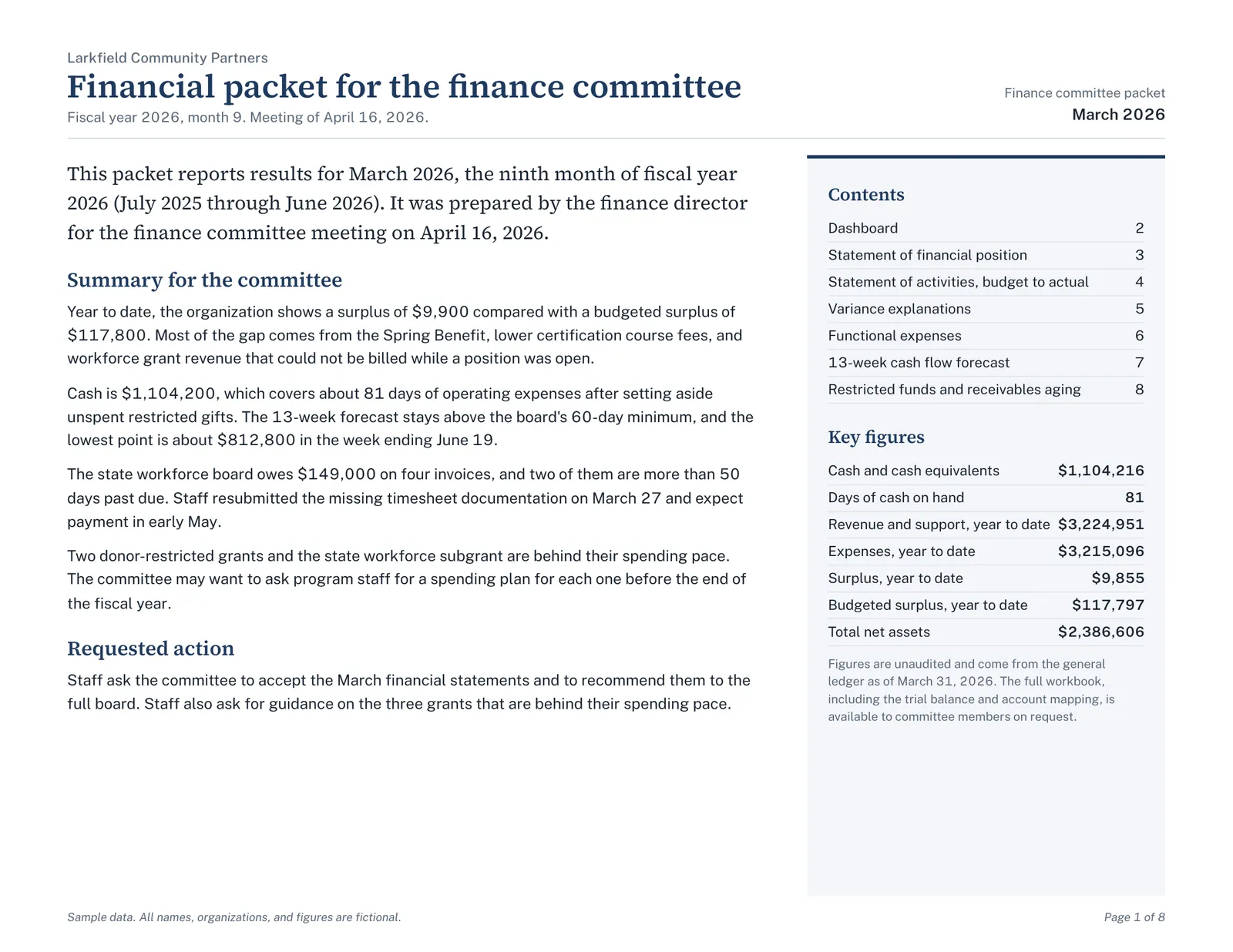
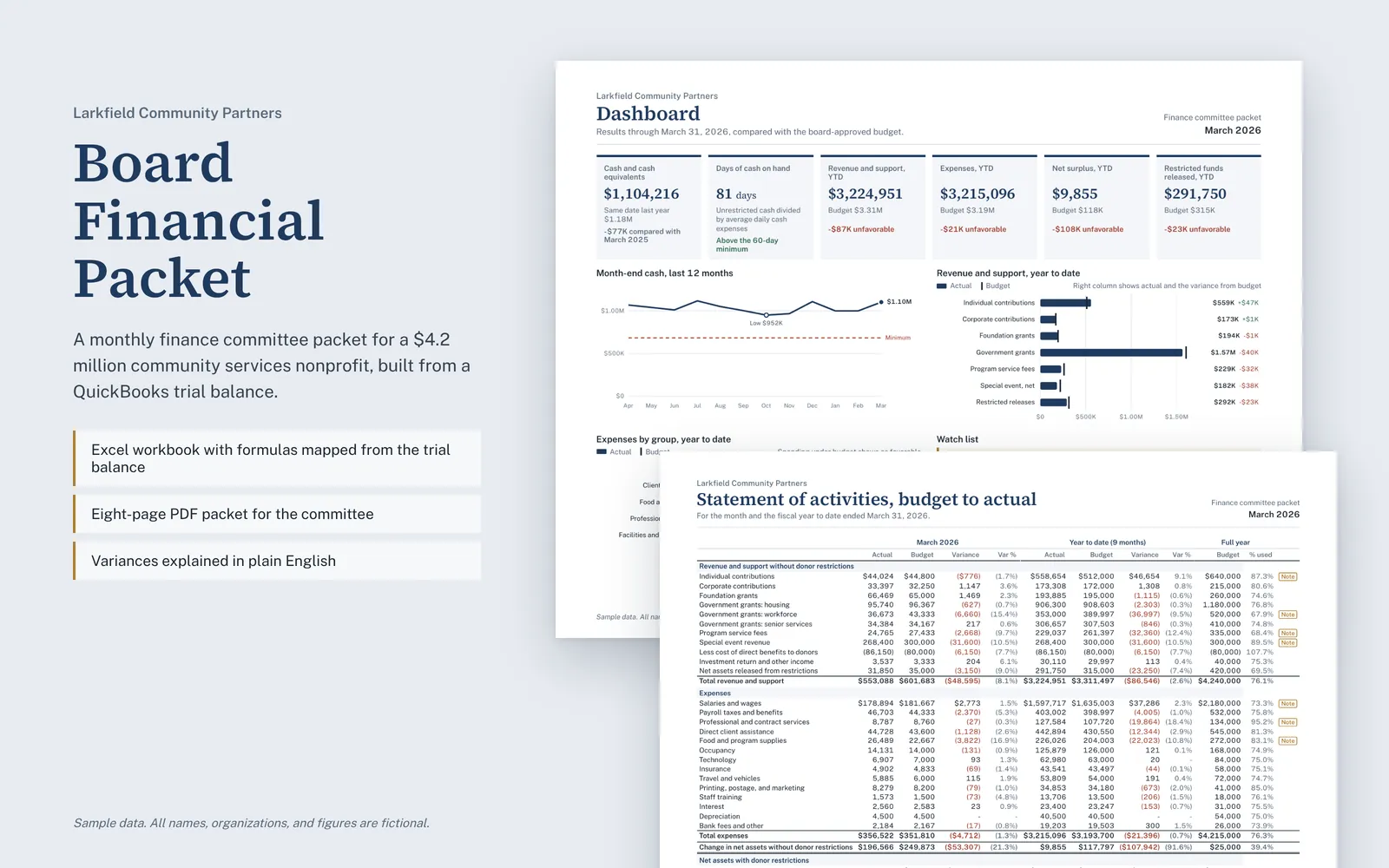
This is a monthly finance committee packet for a fictional $4.2 million community services nonprofit. The Excel workbook builds every report from a QuickBooks trial balance, and the matching eight-page PDF is what the committee reads.

Sample data. All names, organizations, and figures are fictional.

Board Financial Packet: Board financial packet overviewOpen larger image

About this sample

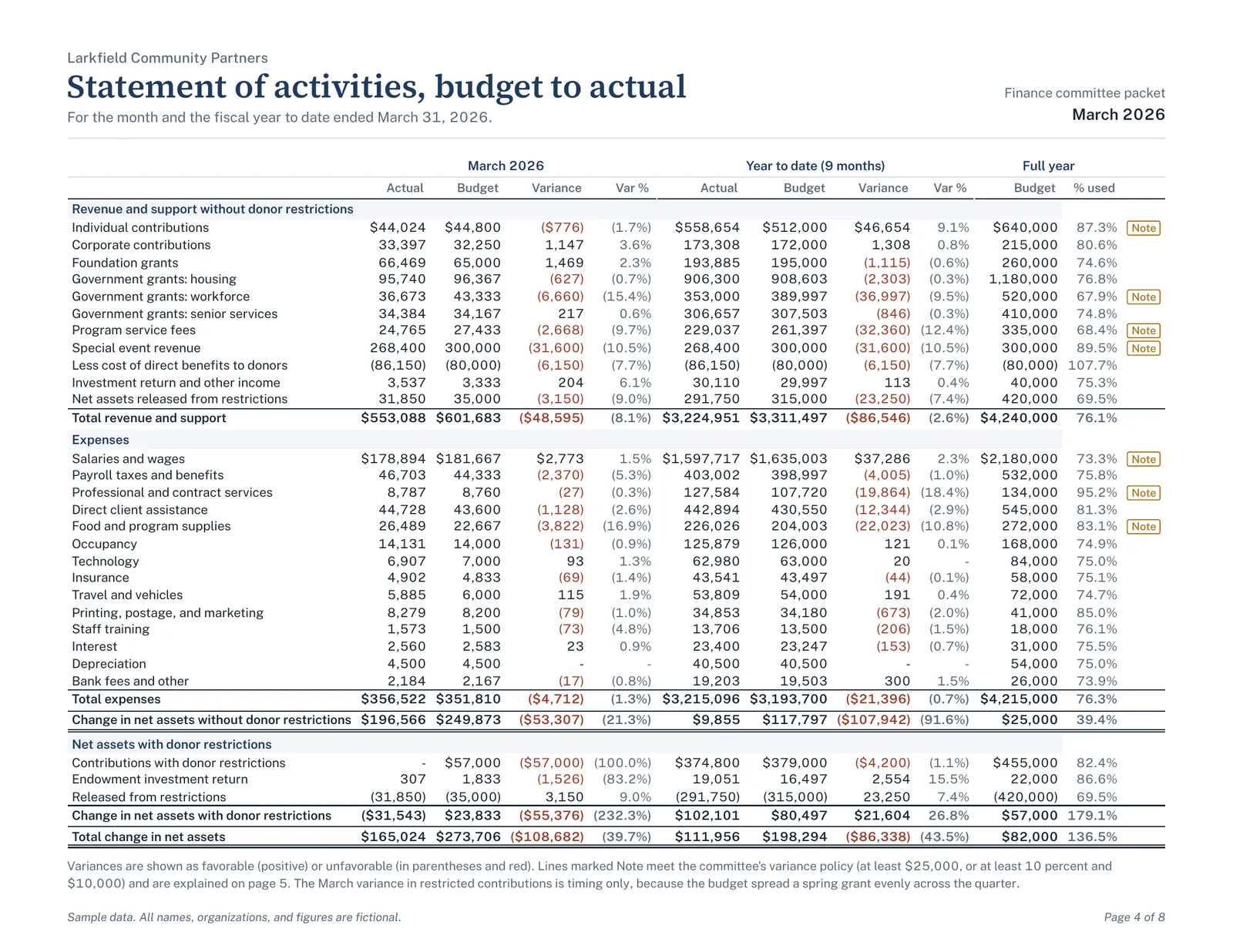
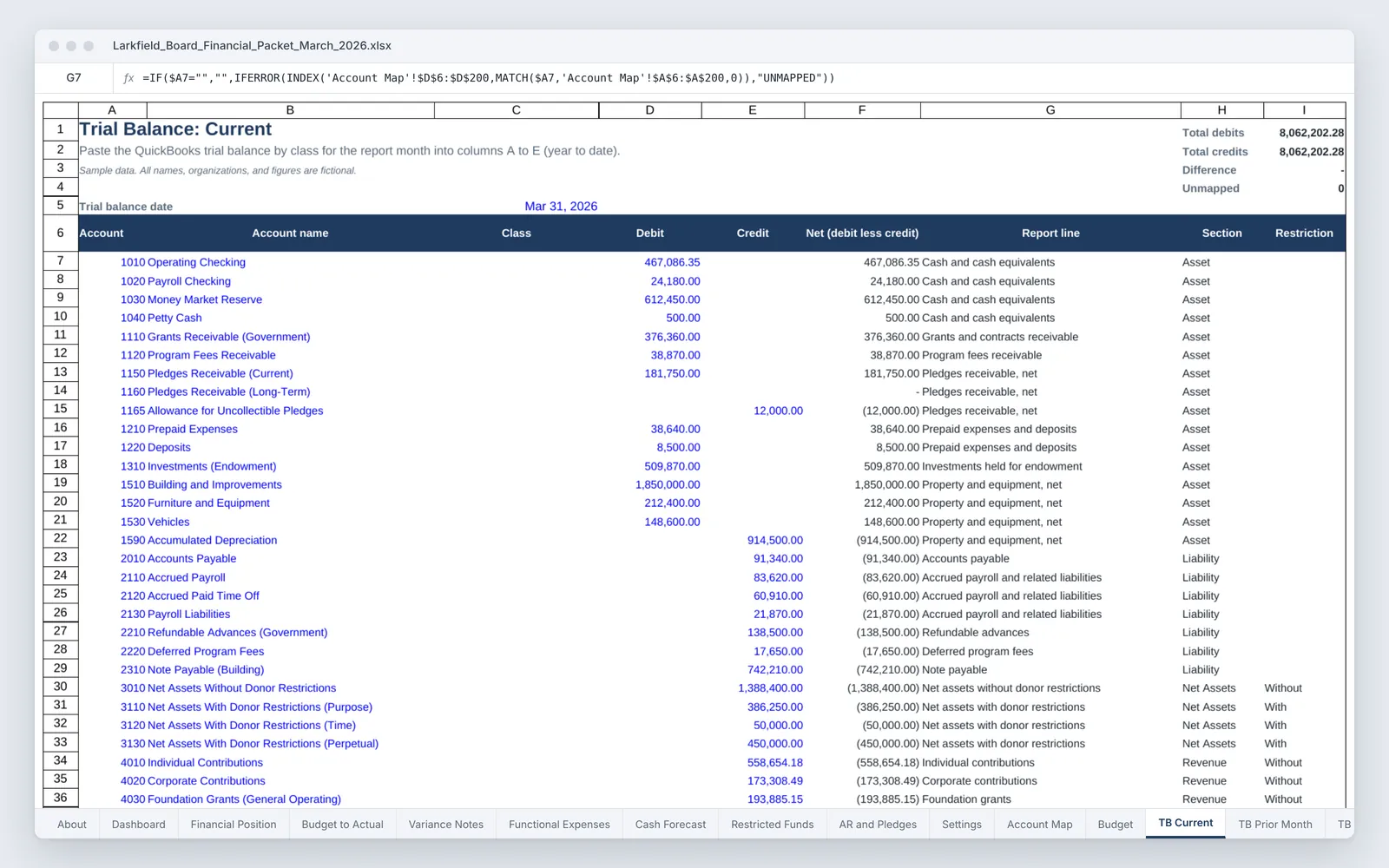
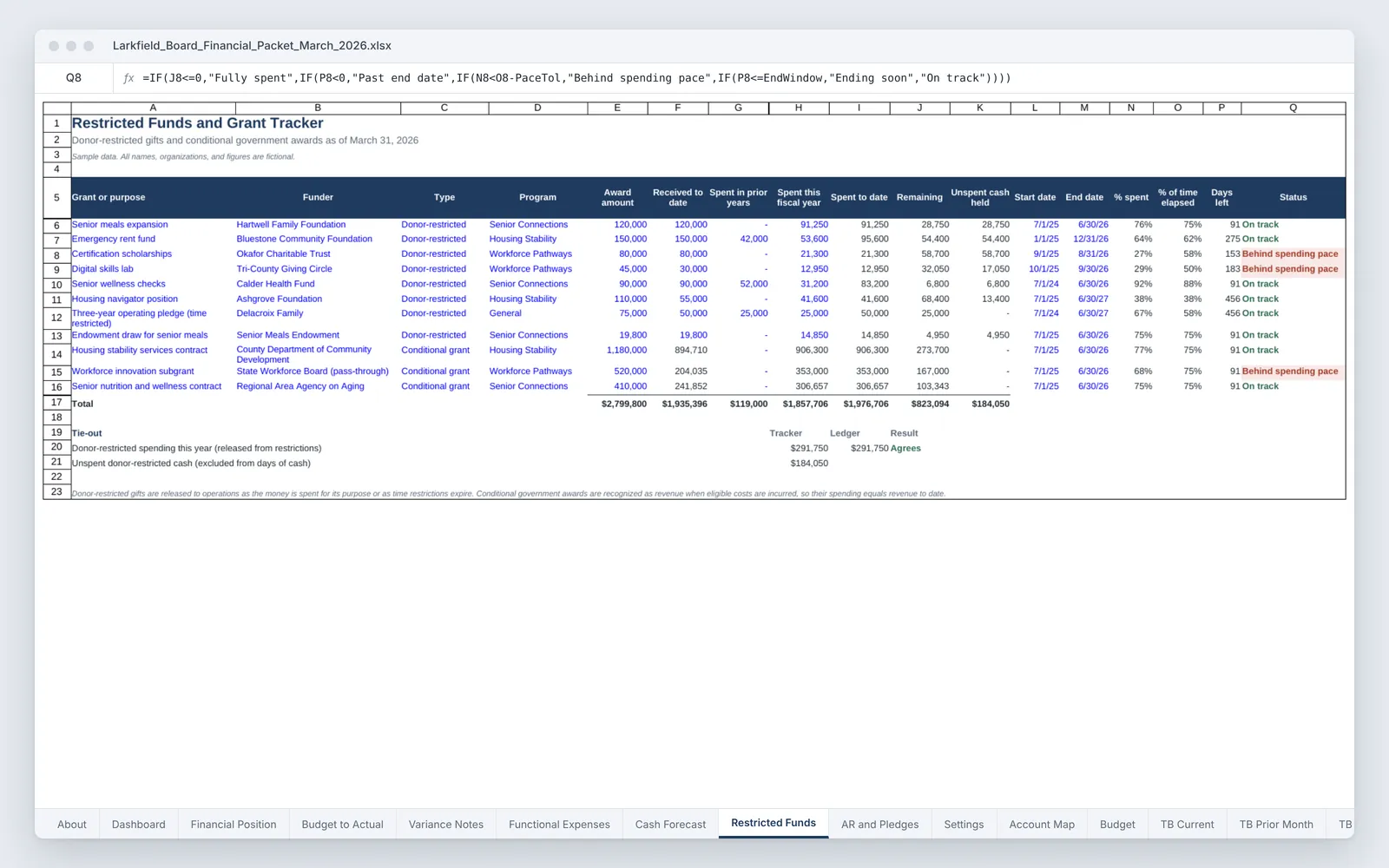
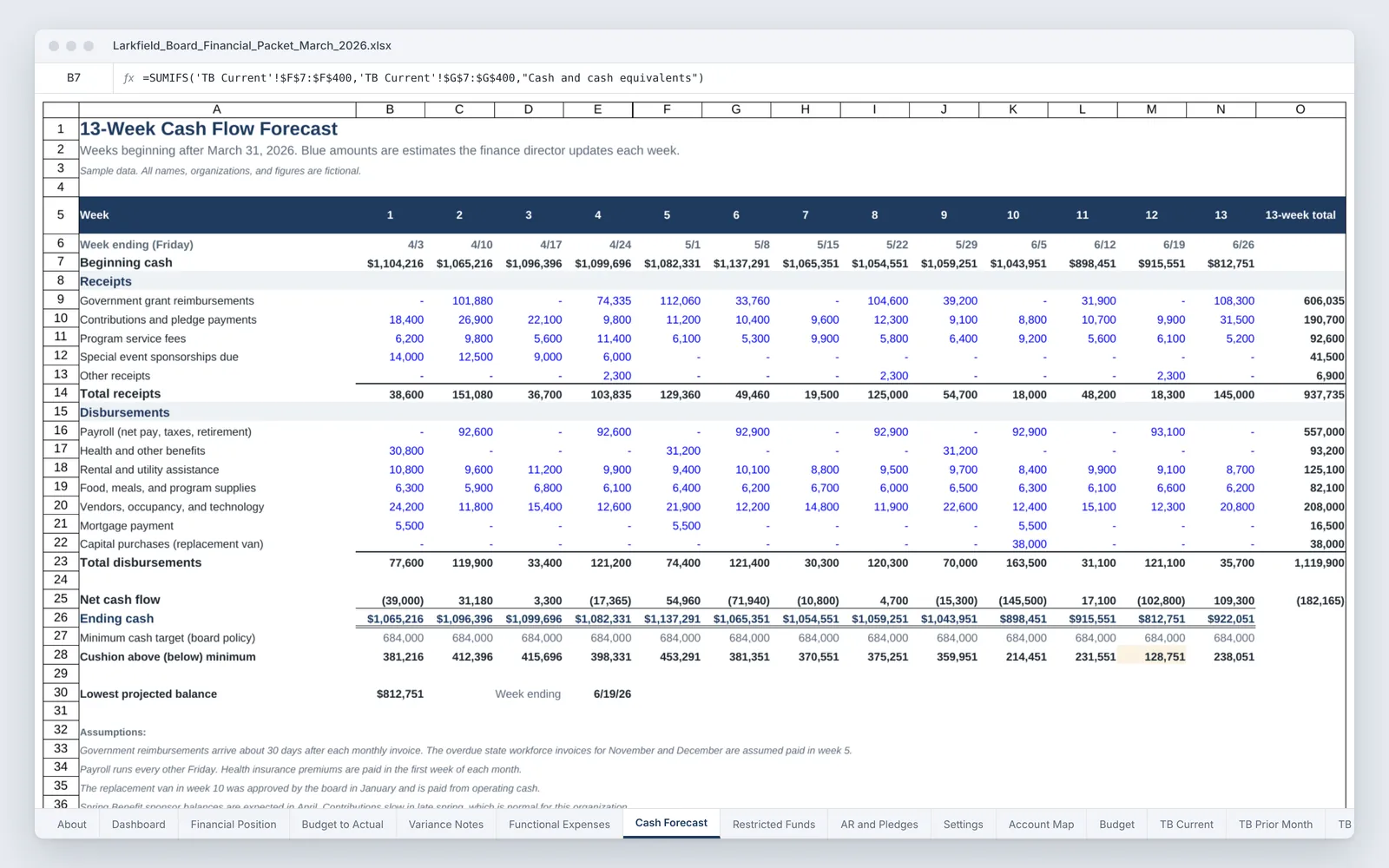
The workbook maps each general ledger account to a line on the statements, so replacing the trial balance updates the dashboard, the statement of financial position, the budget-to-actual statement of activities, functional expenses, and the tie-outs. It also holds a 13-week cash flow forecast, a restricted funds tracker that checks spending pace against time elapsed, and a receivables and pledges aging that agrees to the general ledger. A checks panel confirms the trial balance is in balance, every account is mapped, and each flagged variance has a note.

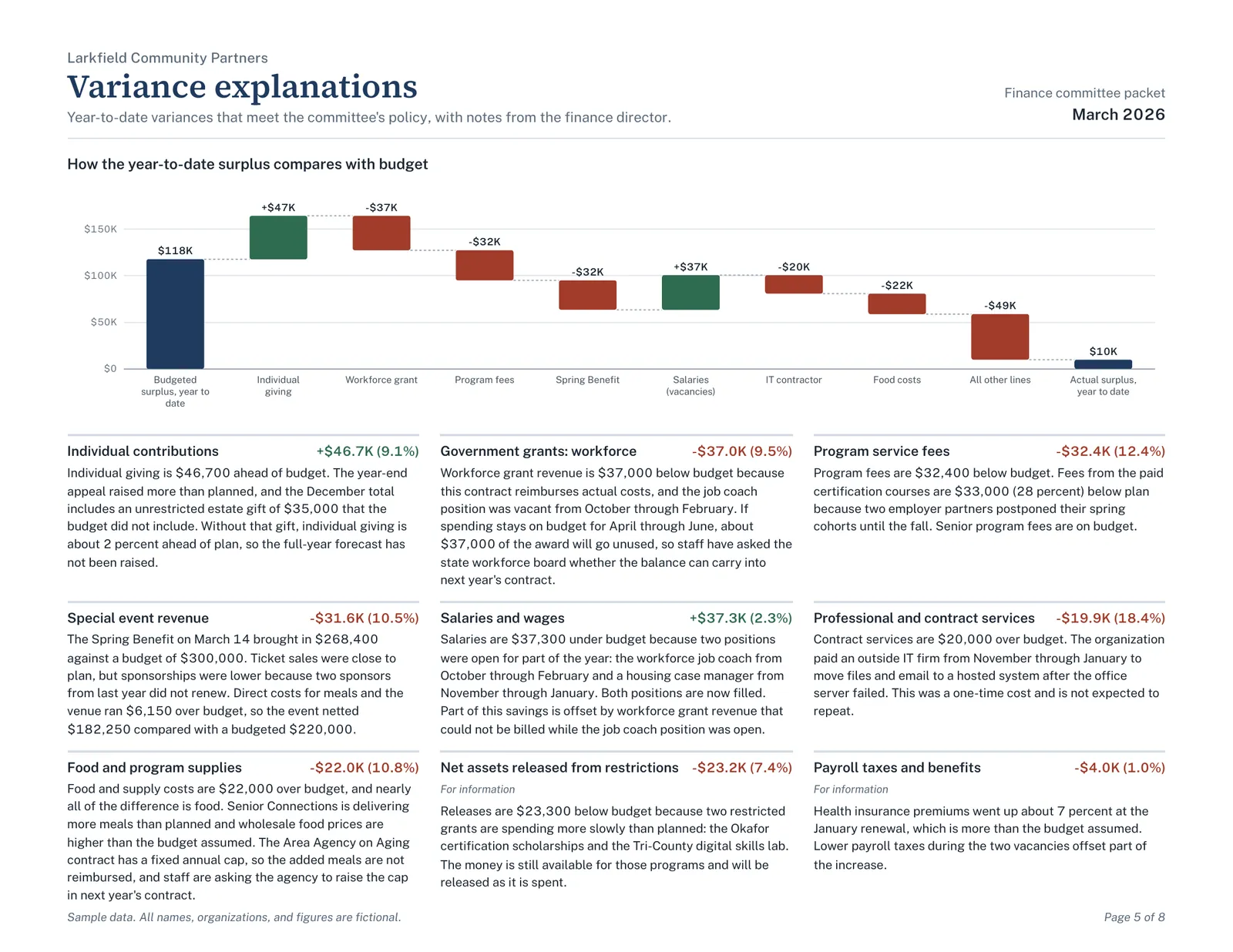
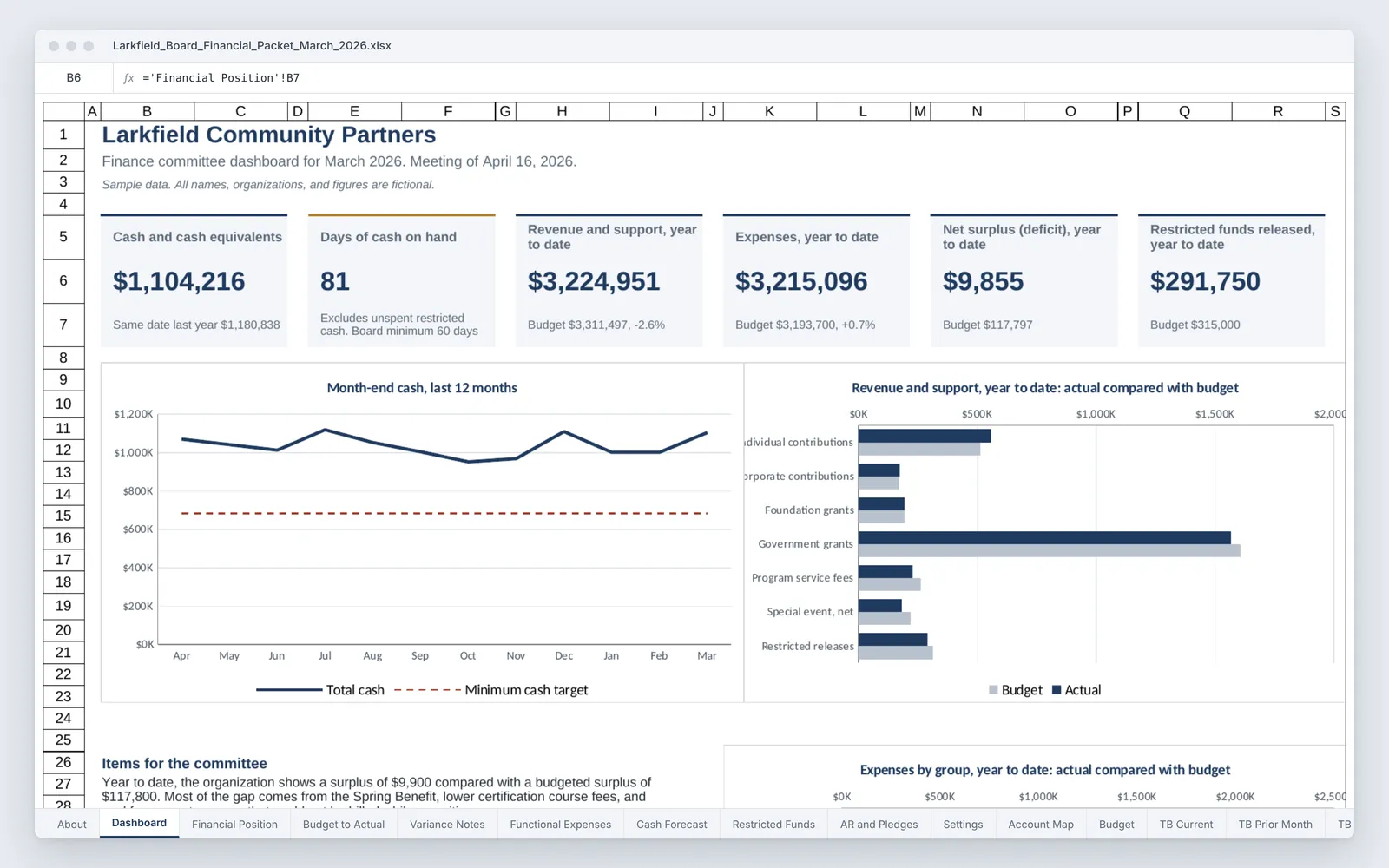
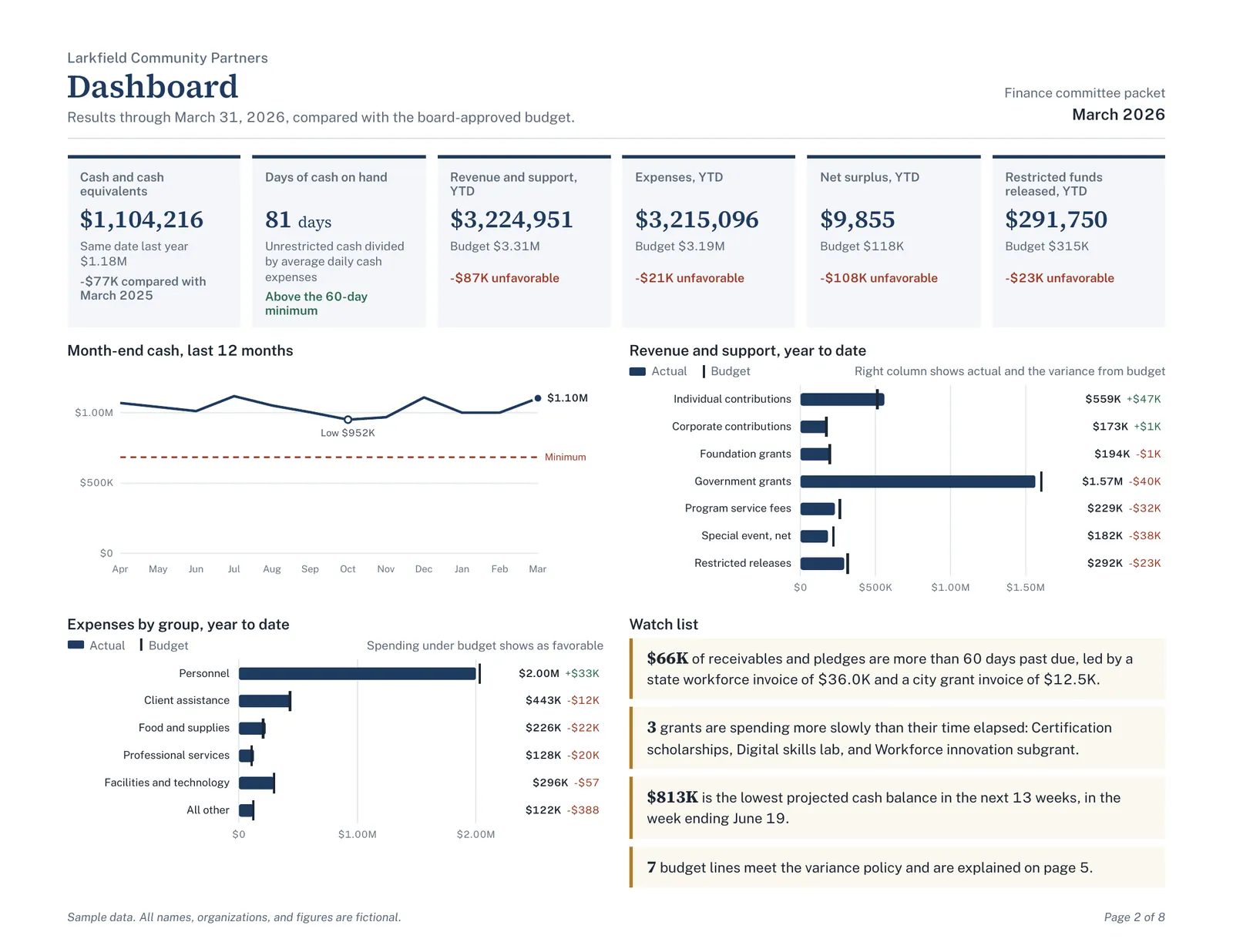
The PDF packet opens with a one-page summary for the committee and a dashboard showing cash, days of cash on hand, results against budget, and restricted funds released. Later pages walk through each statement, explain every variance that meets the committee's policy in plain English, and show where the surplus gap came from, which grants are behind their spending pace, and which receivables are more than 60 days past due.
What it includes

  • Trial balance sheets mapped to report lines, so the reports update when the trial balance is replaced
  • One-page dashboard with cash, days of cash on hand, budget results, and restricted releases
  • Statement of financial position with prior-year comparison
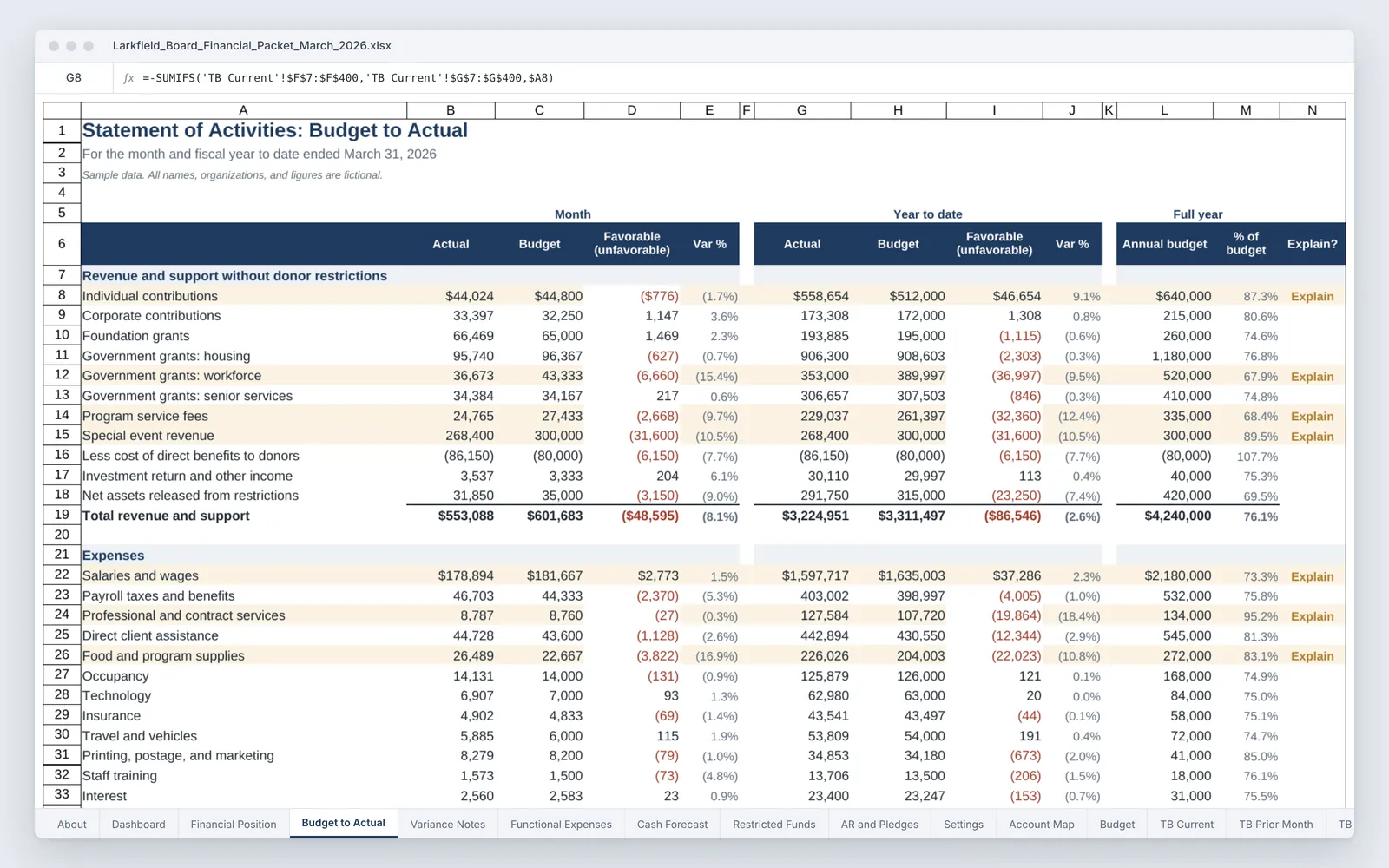
  • Statement of activities by month and year to date with variance policy flags and written explanations
  • Functional expenses by program, management and general, and fundraising, with shared costs allocated by FTE
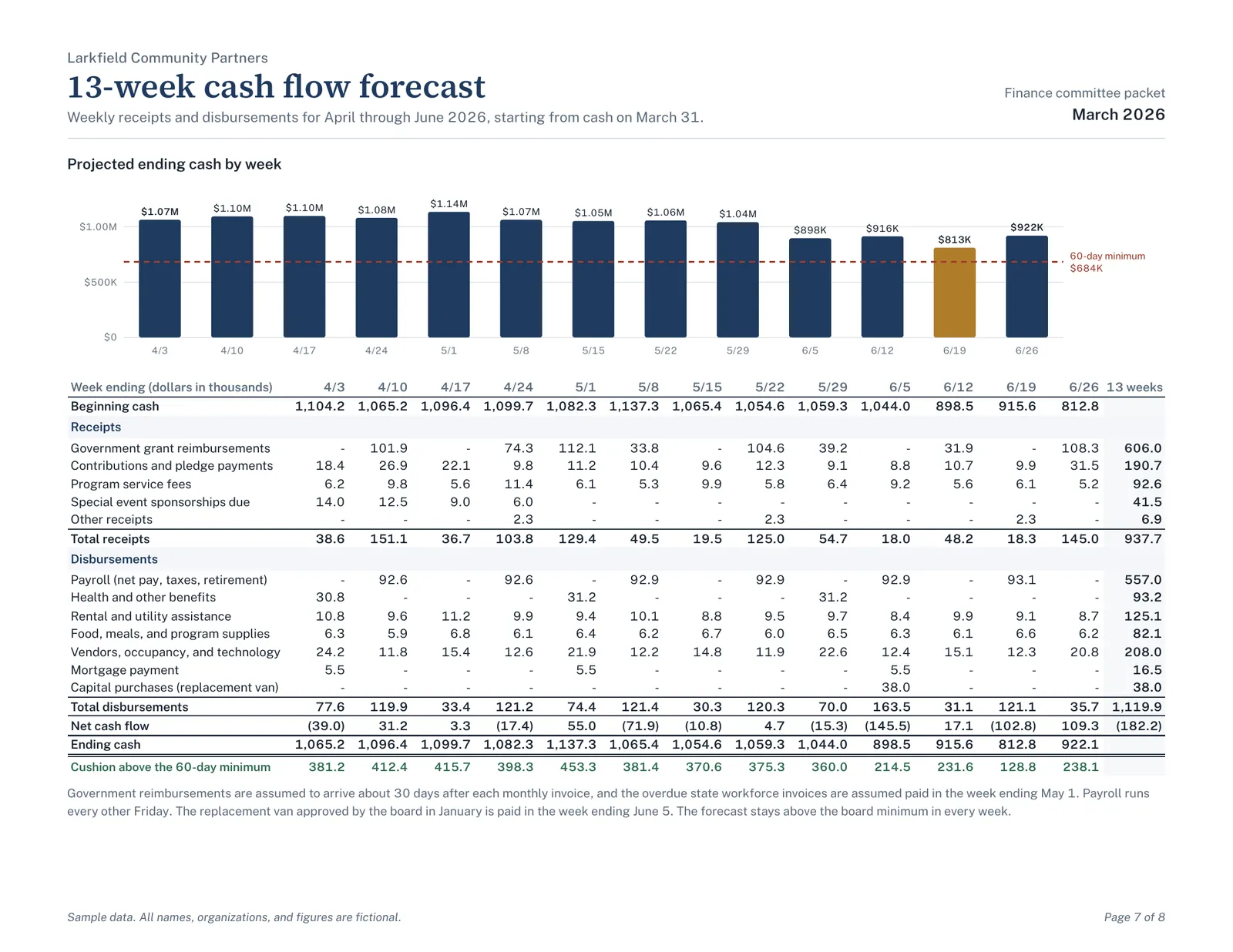
  • 13-week cash flow forecast measured against the board's minimum cash target
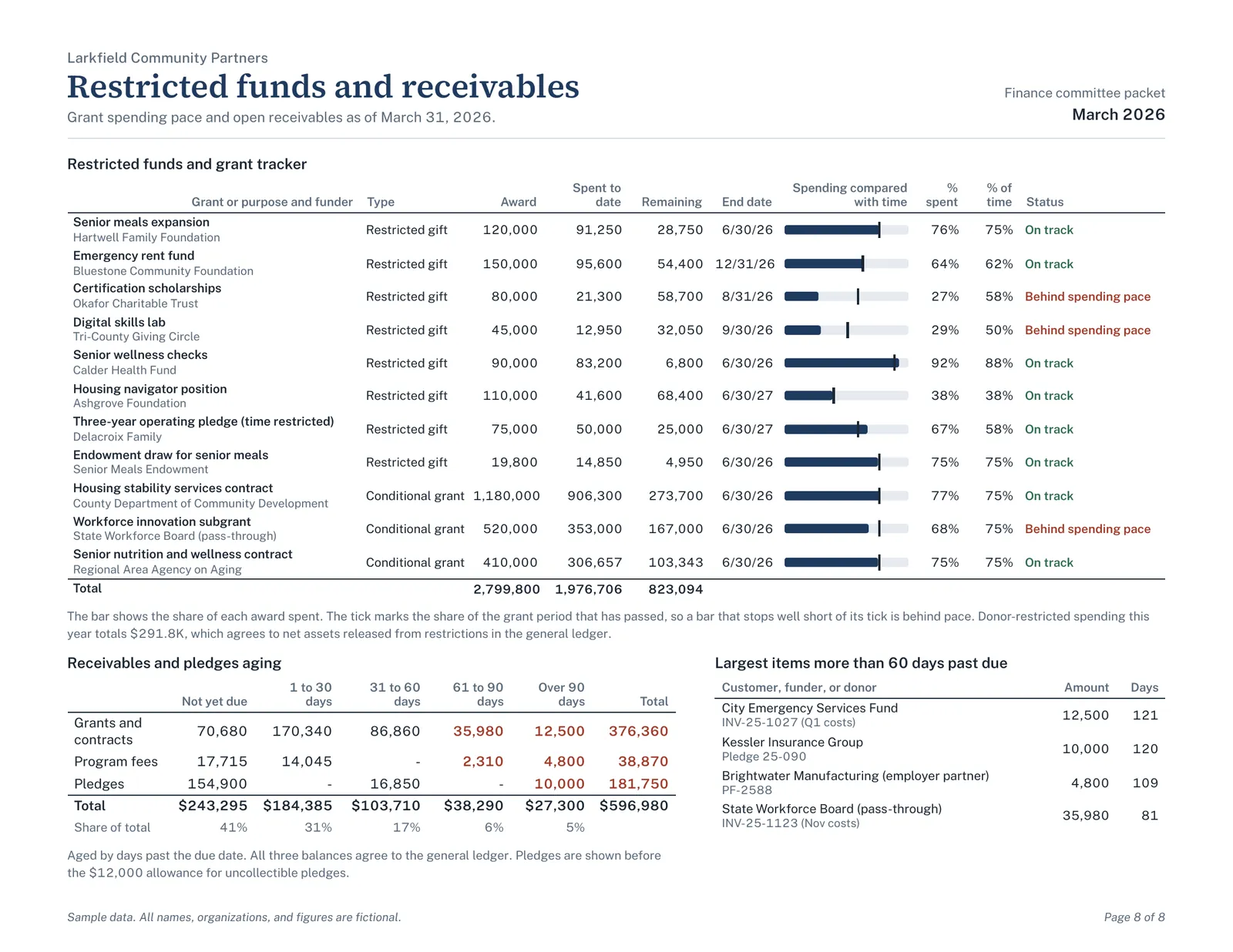
  • Restricted funds tracker and receivables aging, each tied out to the general ledger
  • Native Excel charts and a workbook checks panel

Screenshots

Select an image to see it larger.

More in Nonprofit Finance and Operations

Community Benefit Reporting Workbook

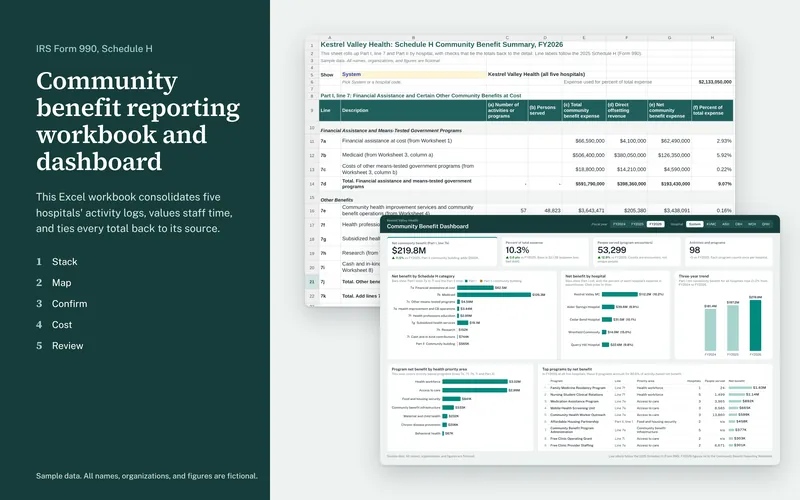
This Excel workbook consolidates five hospitals' community benefit activity logs into one dataset and rolls it up to the lines of IRS Form 990, Schedule H. Every total on the summary ties back through formulas to the row a hospital reported.

  • Excel
  • PDF report

Sample data

Community Benefit Dashboard

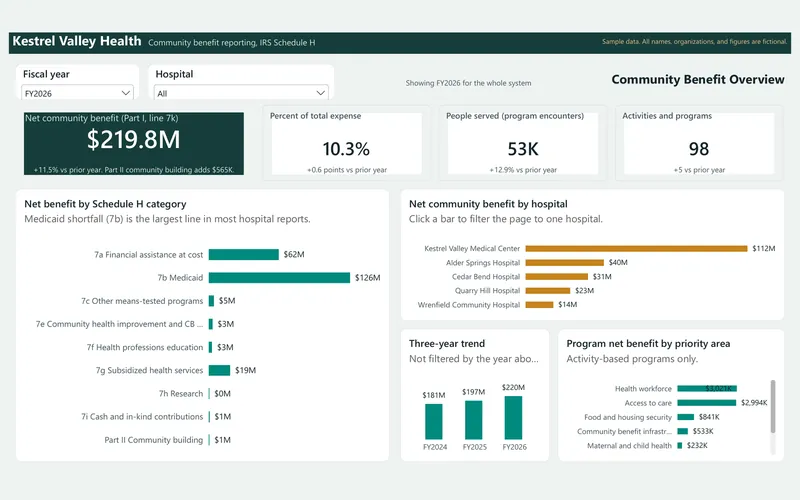
This interactive dashboard shows a hospital system's community benefit across three fiscal years, built from the same sample data as the reporting workbook. It comes with star-schema data files, a Power BI theme, and a rebuild guide with every DAX measure.

  • Power BI
  • Excel
  • PDF report

Sample data